Menu

#9958 Bexio plugin

Parent Category:
DPCalendar
Category:
Payment plugins
Last Updated:
Allon Moritz, Thursday, 26 June 2025 07:58
Created:
Wednesday, 17 May 2023 12:18
Hits:
1951

This feature is part of the DPCalendar Professional subscription.
SubscribePHP 8Joomla 4.4Joomla 5Joomla 6

Introduction

The DPCalendar Bexio plugin integrates the Bexio business and accounting service as payment plugin into DPCalendar. It can be used for Swiss QR code bill payments while booking an event. When a booking is created, then an invoice in Bexio is issued and automatically sent out, when activated. It eliminates the extra task of copying data between both systems.

The plugin uses the Bexio API to communicate with the platform, which supports the secure OAuth2 authentication. Therefor it si required to generate the required credentials, as described in the "Refresh token generation" chapter.
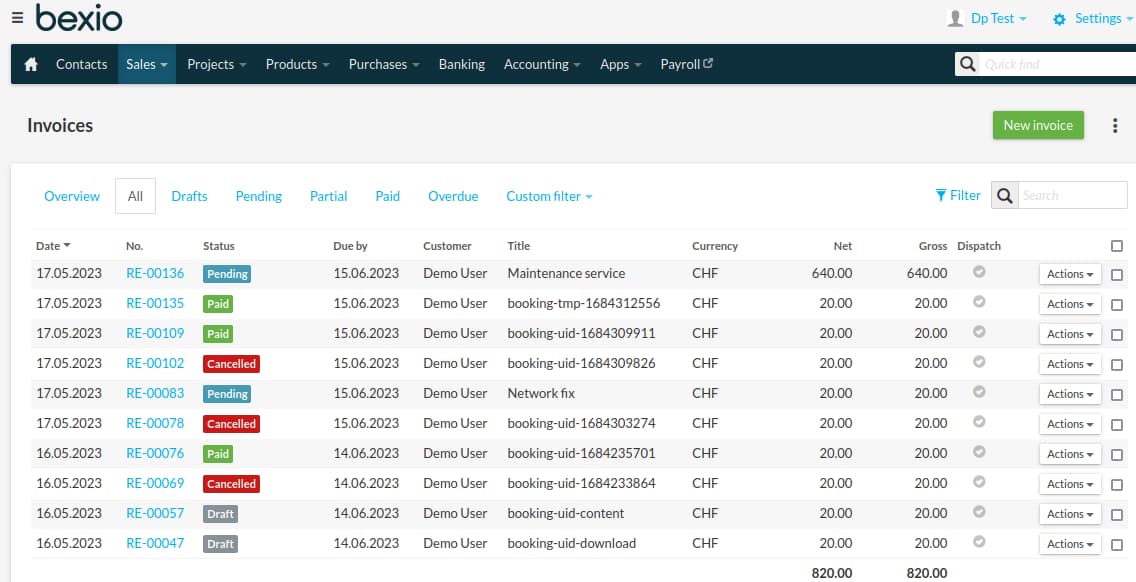
Bexio API management site

Configure the plugin

The DPCalendar manual plugin allows to add unlimited Bexio accounts to DPCalendar. When the plugin is opened in the back end, then you can click on the "+" button to add a new configuration. There you can fill the following fields:
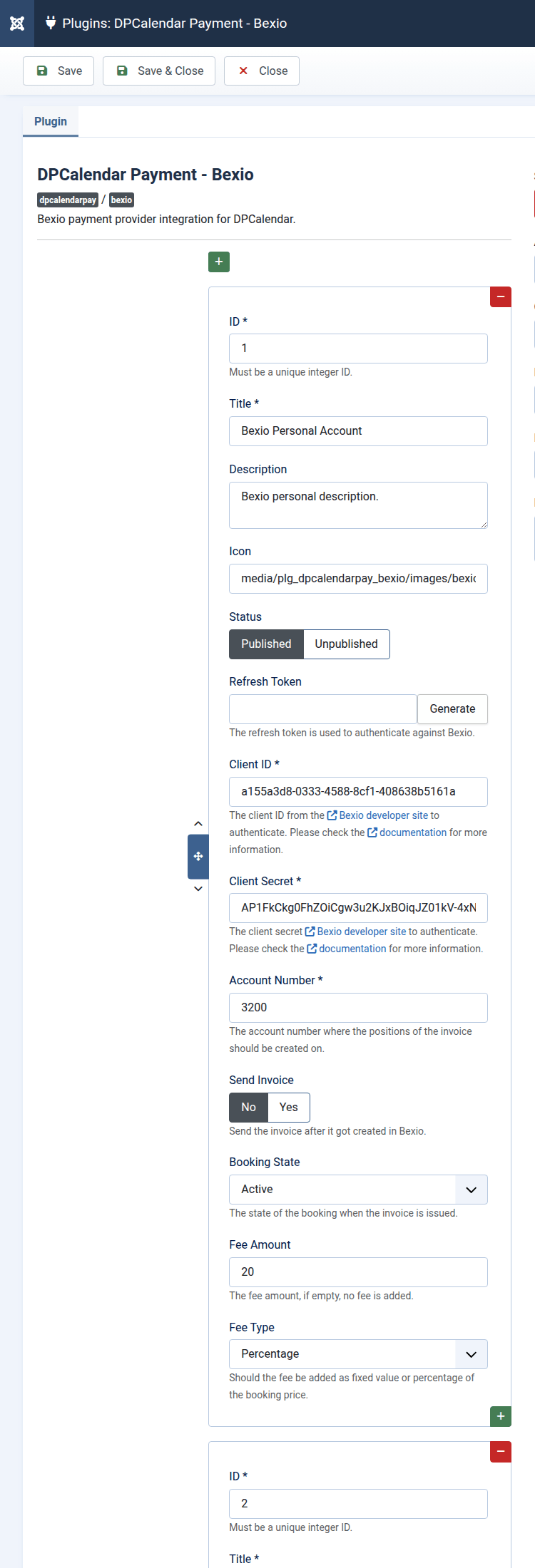
  1. ID
    The ID of the configuration, must be a unique integer amongst the different configurations within the plugin.
  2. Title
    The title of the configuration. Appears in the drop down in the event form where you can select individual payment providers.
  3. Description
    The description which will be shown on the front end provider selection list when confirming the booking.
  4. Icon
    The icon which will be shown on the front end provider selection list when confirming the booking.
  5. Status
    The publishing status of the payment provider.
  6. API token
    The API token to authenticate the API requests. More information can be found in the Getting started article.
  7. Account number
    The account number the invoice should have in Bexio.
  8. Send invoice
    A flag to define if the invoice should be sent or not during the booking process. Bexio is sending then the invoice and the invoice status in Bexio is set to sent.
  9. Booking status
    The status the booking should have when the booking process is finished. The default value is On hold.
  10. Fee amount The amount which should be added, when this payment provider is used for payment.
  11. Fee type Should the fee be added as fixed amount or percentage of the price of the booking.
Bexio payment provider configuration

Refresh token generation

Bexio is using the widely accepted OAuth2 standard to make API requests. To be able to authenticate while doing these API requests, an API key, API secret and refresh token is needed. The following steps are needed to get the credentials:

  • To get an API key and secret, open the Bexio developers "My Apps" site.
  • Click on "Create new App".
  • Fill in the name field and as redirect uri "https://{your site}/administrator/index.php?option=com_dpcalendar&task=plugin.action&plugin=bexio&type=dpcalendarpay&action=auth"
  • Click on the "Save changes" button.
  • Click on "App details" and then should the client ID and client secrets appear.
  • Go back to the Joomla plugin form of the Bexio plugin.
  • Click on the green + icon.
  • Copy the client ID and secret to the plugin from the Bexio developer site.
  • Click on the "Generate" button beside the empty "Refresh token" field.
  • Log in on Bexio if it is required.
  • Accept the scopes.

After these steps are done, the refresh token field should be filled and the Bexio plugin is ready to use.
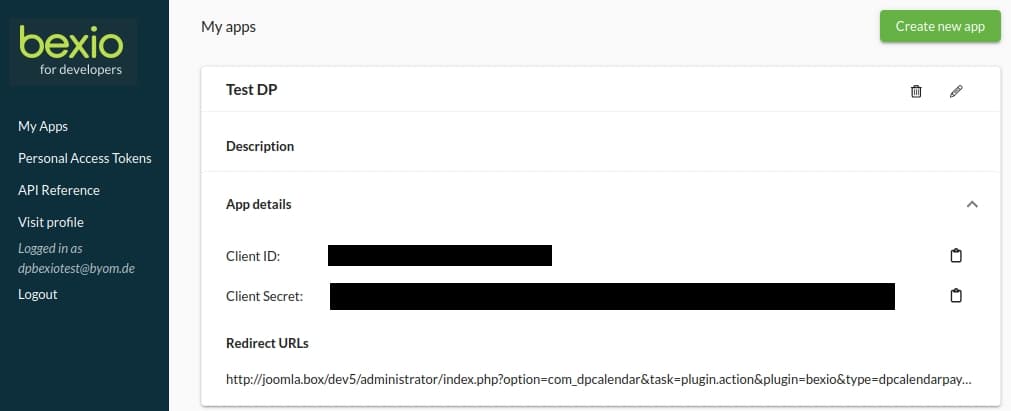
Bexio API key management

Task: Sync invoices

When the DPCalendar Bexio plugin is enabled, the Task plugin can check if there are some paid invoices in Bexio and does activate the booking automatically. Together with the automatic bank sync in Bexio itself, it is possible to automate the whole process from issuing invoices in Bexio till automatic activation of bookings in DPCalendar.
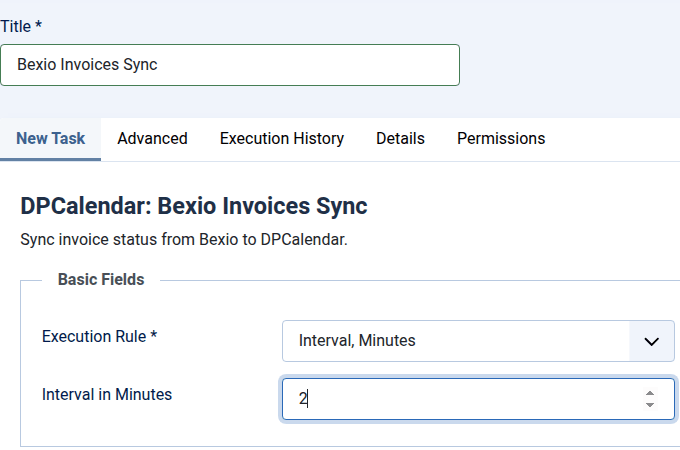

DPBexio invoices sync parameters

Comments (0)

We use cookies on our website. Some of them are essential for the operation of the site, while others help us to improve this site and the user experience (tracking cookies). You can decide for yourself whether you want to allow cookies or not. Please note that if you reject them, you may not be able to use all the functionalities of the site.