 With the lockdown of Joomla 3.3’s feature set, and with its Release Candidate set to come out within days, this is a good time to understand the ins and outs of this new version of Joomla, and what it may mean for you, whether as a user or as an extension developer, moving forward from here. Joomla 3.3 is not the massive upgrade that Joomla 3 was. It does not feature any significantly different ways of doing things, nor does it introduce any new libraries or paradigms that would force you to rethink the way you’re working now; Joomla’s core developers are focussing on working on their feature requests backlog and on code optimisation. Nevertheless, there are a few aspects that might be worth your while investigating:
One of the bigger issues you may have to work with is the migration from the MooTools Javascript framework to jQuery (which was done back in version 3, to support Bootstrap). As we’ve mentioned in an earlier post, and amply supported by the Joomla support forums, the migration process is not without its challenges. Joomla’s core developers are likely to take a couple of iterations before everything that used to be done using MooTools is now done in jQuery. Nevertheless, at some point, Joomla will likely drop support for MooTools altogether, and so it might be a very good idea to figure out how to deploy using jQuery yourself.
With the increased prevalence and reliance of not only home users but also large corporations on services that offer mass storage online (or in the cloud, as it is commonly called), support by Joomla for the more well-known cloud storage providers would be a highly welcome feature. But this means that there would also exist much opportunity for extension developers to craft value-added features; for example, through the use of GnuPG or other Public Key Infrastructure (PKI) systems to provide at-rest encrypted storage for services lacking this facility, or the transparent integration of multiple cloud vendors into a single virtual storage space. You can even create an extension that extends such cloud storage support by Joomla to lesser-known providers.
With the widespread support of major global search engines (including Google, Bing, Yahoo!, Yandex) for microdata formats to enrich and enhance search engine results, the Web is coming back to the roots of the Internet, which was primarily a tool for academia. Microdata formats and structured data (such as that defined by Schema.org) make it easier for machines to understand your Joomla website’s content. Given how database-centric most CMSes (including Joomla) are, and how critical search engines are in exposing websites to the world, it’s a good idea to acquaint yourself with the basic concepts behind structured data, and how to best use Joomla’s upcoming support of microdata to make your website shine (at least to the search engines).
As you can see, much of what Joomla 3.3 has to offer is iterative and incremental, rather than profoundly game-changing (and, in fact, is heavily based on what came out of Google’s Summer of Code 2013). Given that a Joomla 3.2 update is going to be released on the same day as the final version of 3.3, this is a great time to brush up on what will become Joomla’s future.
 2014 promises to be an eventful year for the Joomla! CMS (pun intended). Of particular interest to us is the release of Joomla 3.3 (which we will cover in our next post), because of its various changes. However, what we’re focusing on in this post is not so much Joomla itself, but the people who are behind it, who code and develop for it, and the people who deploy (i.e. use) Joomla for the website(s) they build.
One of the strengths of Joomla as a CMS is that it has an active and vigorous community of both developers and users. All throughout the year, various meet-ups and conventions focused on Joomla get organised – not only for hardcore evangelists, but for ordinary Joomla folks as well. Yes, there are lots of Joomla! events going on all over the world! Here are a selection of those events:
Saturday 22nd and Sunday 23rd March 2014
Dutch Joomla! Days – Zeist, the Netherlands (The “Bootstrap on Joomla” giant, Joostrap, is taking part in this one)
Friday May 30th – Sunday June 1st 2014
J and Beyond – Konigstein, Germany (this is a HUGE event, try not to miss it!)
But if you’re in Asia instead, you can attend the Joomla User Group meeting:
Wednesday March 5th 2014
Joomla User Group Pune meeting- Maharashtra, India
Even Africa has a Joomla! Day; in Algeria, of all places. Best if you spoke French if you wanted to attend:
Thursday May 15th and Friday 16th May 2014
Joomla! Day Algeria –Sidi Abdellah, Algeria
And as for Americans, there are easily half a dozen meetings that have been set up to date. Sadly, Oceania and South America are under-represented for the time being – but the year is young, so who knows?
For more information on these and other events, visit the following sites:
https://www.facebook.com/joomla
In addition, consider attending conferences and events of the other open source CMSes around – WordPress has an official WordCamp in San Francisco every year, for instance – and Joomla people have been known to cross-pollinate at such conferences.
 In previous posts, we’v taken a look at LESS, the superset of Cascading Style Sheets (CSS) that makes it perform much more like a full-blown programming language, as well as the Twitter’s Bootstrap framework built on it, which provides web designers a standardized toolset for UI elements. This post will delve into Joomla 3’s support of Bootstrap, and the implications that this has on its support for LESS as a result.
Because Joomla 3 fully implements Bootstrap, and because Bootstrap is built using LESS, it is only reasonable to think that Joomla 3 fully supports and implements LESS as well. And in a sense, it does – you can edit the LESS files that Bootstrap is made from in Joomla and recompile them. However, there are some things you should know about how LESS works in Joomla:
Or more accurately, all the hard work’s already been done for you. Bootstrap’s source files have all been precompiled as CSS and JavaScript files, which you can simply include or import into your own template. What’s more, if you used or modified Joomla Core’s default Protostar template, Bootstrap's pretty much baked in right from the start as well. Mind you, it’s a ‘slightly modified’ version of Bootstrap, so you do have to do your due diligence and take appropriate steps when using Bootstrap in Joomla 3.
In addition, changing the various defaults in Bootstrap can be done simply by invoking the Bootstrap Customizer and replacing the necessary files in your installation with the ones generated by the Customizer. The use of LESS does not come into the picture at all. Knowing how LESS works and being able to modify Bootstrap’s source code is a bonus, but it is hardly necessary for you to get full use out of Joomla.
To be precise, it does not provide a LESS compiler that you can run at will and on any LESS file you want. What it does have is a way for you to adapt a PHP script (generatecss.php) to compile LESS changes for your own template. You can also use a LESS Compiler Joomla plugin to do so every time you make a change. However, if you are serious about playing around with LESS, then you may have to install your own LESS compiler (many paid-for themes and templates include compilers). Given that the whole point of LESS was so that you could write so much less CSS, though, Joomla Core’s decision not to include a standalone compiler (many of which are open-source) is strange.
Assuming that you really do want to delve into LESS to change the default ways in which Joomla’s implementation of Bootstrap behaves, should you really directly modify the Bootstrap LESS files and recompile, or should you maybe override the behaviors in a custom LESS file and call that in your template? In this particular case, using overrides is probably the better solution, as it means that whenever a new version of Bootstrap (or Joomla, for that matter) is released, you can drop it in without worrying that your previous customization are totally lost.
 In a previous post, we took a look at how LESS can help you manage your CSS, by providing you with a powerful superset of features that makes CSS feel (and work) much more like a traditional object-oriented programming language. Given the power that the LESS pre-processor provides to CSS, it’s no surprise that a lot of web design frameworks are built using LESS. Examples of such frameworks include fusionCSS, the Gantry framework, and the biggest contender of them all, Twitter’s Bootstrap.
In and of itself, Bootstrap is already quite a powerful framework that allows anyone to design a Web interface that just plain works, first time round. Part of what makes Bootstrap so compelling for Web developers, however, is the fact that it is extremely flexible. You can build your website using the UI components that come as default with each Bootstrap installation, and then use CSS (and hence LESS) to override them – making your website look like Windows (of any kind), or OSX, or KDE, or GNOME… anything you can think of.
One of the ways in which LESS is used by Bootstrap is through the modification of the various default settings that Bootstrap encodes as LESS variables. For example, in plain CSS, every style defined can include colour settings – but each colour value is set individually of the others, so if you have a series of related elements using the same colour(s), and you want to change them, you have to laboriously find-and-replace the colour number(s). By using LESS, Bootstrap centralises all of these default colours in defined variables, so you only need to change the values in the variable declarations for the changes to be reflected elsewhere.
Nor are colour values the only things that LESS (and Bootstrap) can store and use in variables. Anything that CSS accepts as valid values, including font types, pixel sizes, and percentages can be placed in a variable. Using LESS’ support of nesting, you can even place a variable inside another variable. Without changing a single line of your HTML page, you can make it look entirely different simply by manipulating the default values stored in the Bootstrap-defined variables.
In addition to default variables, Bootstrap also makes full use of mixins, the LESS equivalents of functions and procedures. Mixins essentially allow you to create a style class and import all the properties of that class into another class. By using variables with mixins, you can create a function that allows you to modify the default parameters of the mixin.
Mixins in Bootstrap are used to create various UI elements simply by calling them, rather than having to define these elements from scratch. In addition, Bootstrap mixins also allow you to apply a number of transform effects to various elements quickly and easily.
LESS supports various mathematical operations, namespaces and other advanced functionality which Bootstrap takes full advantage of. As a result, if you want to really play around with Bootstrap, you need to understand how LESS works and how Bootstrap builds itself on it as well.
 In the early days of the World Wide Web (WWW), browsers were served static HTML pages. Page design back then was simple; only a few font families were supported, HTML was more or less “RTF + hyperlinks”, and the ability to incorporate graphics into the Web page was considered as cutting-edge. A lot of people would like to skip over the time that followed shortly thereafter, when Web sites had garish backgrounds and browsers introduced the infamous (and thankfully non-standard) <blink>and <marquee> tags. Content that was important or emphasized were highlighted by these and other similar HTML tags to draw people’s attention to them.
Over time, of course, people began to realise that while formatting tags such as <i> or <b> and content tags such as <em> or <strong> were usually rendered identically by the browser, they were supposed to be entirely different, semantically speaking. Strongly emphasizing a particular bit of text did not necessarily mean making it bold; a similar effect might be obtained by highlighting the text instead, and in certain circumstances, perhaps more desirable.
Enter Cascading Style Sheets, or CSS. By completely decoupling the semantics of HTML tags from the way they were presented in the browser, CSS enables both Web designer and Web user to customize the way that HTML pages look and feel. Given the same HTML input, but two different stylesheets, a browser may well render the pages entirely different. With CSS, you can modify almost every single HTML tag to mean precisely what you want them to mean, while allowing your HTML content to be almost free of formatting directives. CSS also gives you the option to control – and if need be, change wholesale – the look and feel of your entire website using a single file.
Well and good, but CSS by itself can be quite verbose, even though it’s supposed to cut down on the verbosity of your HTML output. It can also be tedious to modify, if the changes are significant enough. In this regard, CSS is not very different from the C programming language (and in fact, HTML5 + CSS3 is apparently Turing-complete). And just as C has the C pre-processor that greatly enhances it, CSS has Leaner CSS (LESS) as one of its pre-processors.
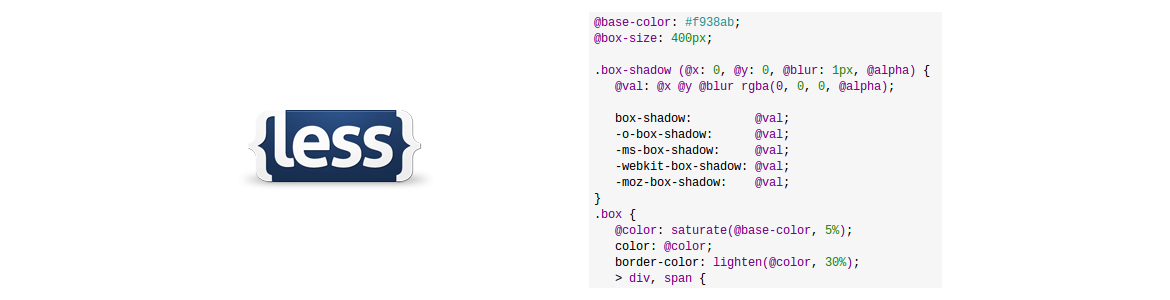
LESS is a super set of CSS, so you don’t have to unlearn anything to use it. It provides a number of useful features and capabilities that make CSS much, much easier to deploy. It also goes a long way into making CSS a full-fledged programming language, with the inclusion of variables, functions and operations.
If you have ever found CSS to be useful but difficult to work with, LESS can make your life much easier. Check LESS out at http://lesscss.org for a more in-depth tutorial at what its feature set is, how you can use it, its GitHub site and a reference manual. Once you start using LESS, you will never go back to normal CSS – and that’s a good thing.
